A worklist pane for Claude Code
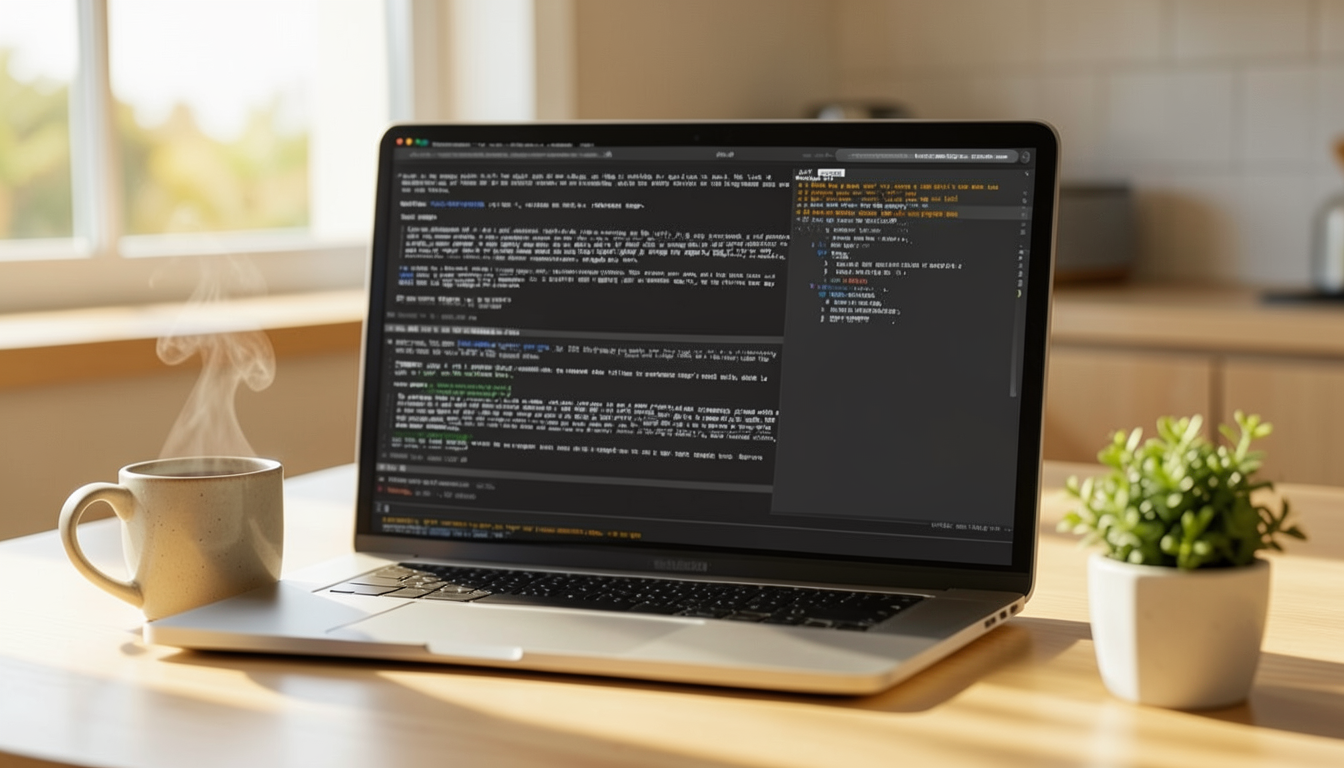
I often find myself in a situation in a Claude Code session where we’ve agreed on a list of actions, but after handling one of them, the list is long gone in the chat window. Either I scroll back to find it, or I ask “what’s left to do?” to get back on track.
Claude Code has a pane on the right side that shows the files changed in the session. I wanted the same thing for the plan: a pane that keeps an up-to-date view of what we’re working on — what’s finished, what’s left, and what’s been added along the way. And I didn’t want to maintain it myself: Claude should keep the list up to date in the background, while I just look at it. So I built one.
Claude Code Mods
Mods are a new way to change Claude Code’s own interface and behaviour: a live pane, a status line entry, a slash command, or a hook that runs on tool calls and prompts. Instead of waiting for the product to get the feature I want, I can add it myself. I’d been curious about them for a while, and this annoyance was a good excuse to try one for real.
What it is
It’s a Claude Code mod, packaged in my personal plugin (ai-toolkit) so it’s available in every project that uses the plugin. It has three parts:
- A pane on the right, next to the changed-files tab, showing the list
- A status line entry with progress, the next item up and how many items are waiting on me
- A tool,
worklist, that Claude calls on its own, in the background, to keep the list current — I never edit the list myself
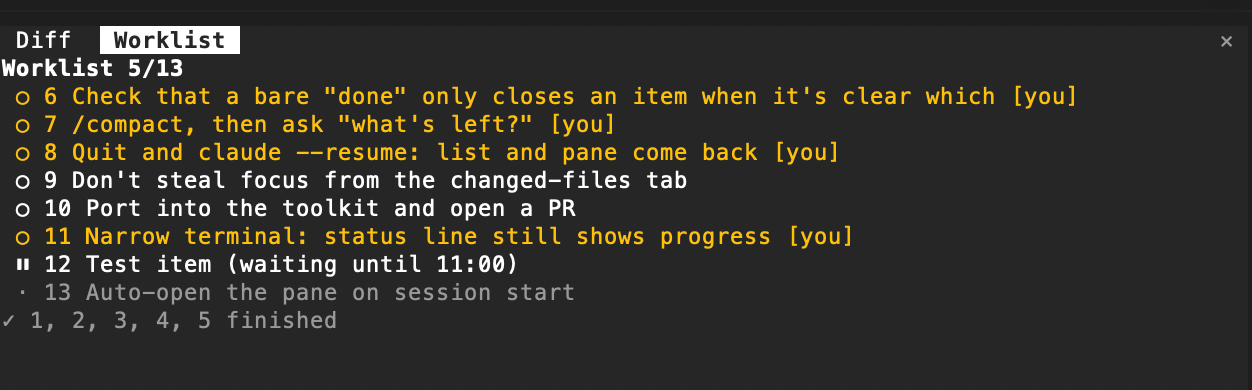
The list is one prioritized list, highest first. Each item is open, blocked (with a reason), parked for later, done or dropped, and every item has an owner, which is either Claude or me. Items I have to do myself — console clicks, manual tests, anything Claude can’t do for me — are marked [you] and show up in a different colour, so it’s easy to see what’s my move. Claude adds, reorders and ticks off everything else.
The screenshot above is the pane in the middle of its own creation, which felt like the right way to show it.
Claude manages the list, not me
The first version had slash commands for adding and finishing items. It worked, but I quickly realised that I didn’t want to manage a list by hand at all — that was the whole point.
So now Claude owns the list. The instructions the plugin injects into every session tell it to add items when we agree on a plan, add follow-ups the moment they come up, and mark things done as they get done. If I want something changed I just say so in plain words — “also do X”, “forget Y”, “rename Z to…”, “that’s waiting until 11” — and Claude updates the list as part of its normal reply. There’s no ceremony and Claude doesn’t announce that it updated anything. I never touch the list; I just look at the pane.
A /worklist command still exists, but it’s only there to open the pane.
Rules I found by using it
Most of the behaviour came from using the mod to verify itself. The first thing I did was ask Claude to plan my manual testing of the mod, which put a worklist in the pane, and then I worked through it. A few rules fell out of that:
- No “active” item, and a bare “done” is not enough. My first version tracked a “currently working on” step, so a plain “done” closed whatever was active. I didn’t want either. The list is just prioritized, and the next item is the first one that’s neither blocked, parked nor mine. If I say “done” without a number, Claude only closes something when it’s obvious which item I mean, e.g. when its last message asked me to do exactly one thing. Otherwise it asks me which number.
- Mine is “you”. The owner was first called “me”, which is ambiguous when the list belongs to Claude. “You” is what I have to do.
- Stay out of the way. The worklist tab shouldn’t grab focus while I’m looking at another tab, and it opens only when I ask for it, since opening it on its own got in the way of Claude Code’s own changed-files pane.
Surviving compact and resume
A list that disappears when the context does would defeat the purpose. The list is saved per session and restored when I resume, and after /compact the current list is injected back into the conversation, so “what’s left?” still has an answer.
This was the fiddliest part. /clear and an in-session /resume swap the session without the plugin getting a normal start event, so the pane would come back empty until I sent my first message. The fix was to look again shortly after the swap.
What’s left
The pane doesn’t open by itself when a session starts — that’s the parked item in the screenshot. It’s a trade-off: opening it on its own would keep Claude Code’s changed-files pane from opening, so for now I open it with /worklist.
Still, I no longer scroll back to find the plan, and I don’t have to remember to ask or to maintain anything — Claude keeps the list, and I keep an eye on it. If you have a Claude Code habit that keeps costing you a few seconds every time, it’s probably worth a small mod.